
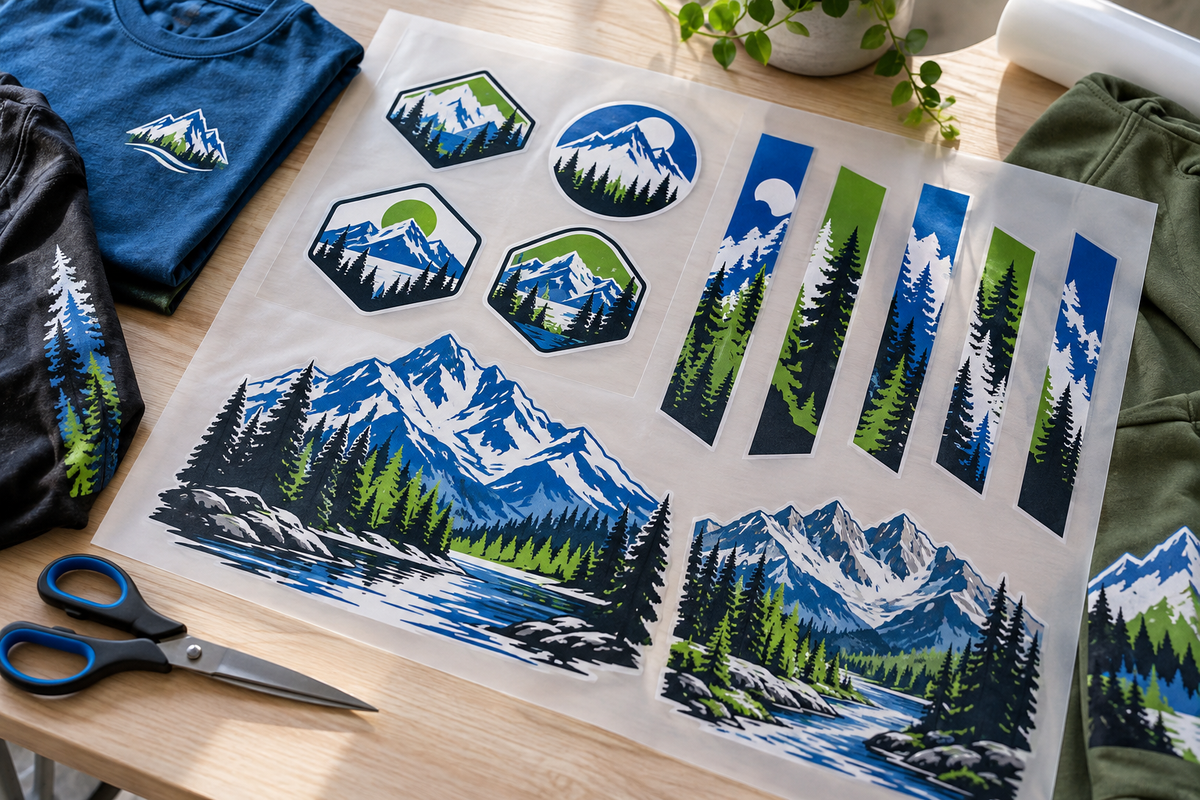
Cover image: illustrative decoration mockup.
The cheapest gang sheet is not necessarily the one with the most artwork squeezed onto it. It is the one that gives your team the right transfers, at the right sizes, in the right quantities—with less waste and less confusion.
A well-planned sheet can combine multiple designs and placements into one order. The savings depend on your layout and the prints you will actually use.
Start with a print list
Before opening the builder, list each design, its finished dimensions, placement, and required quantity. Separate the number of garments from the number of transfers.
For example, an order of 24 shirts with a front and back print requires 24 fronts and 24 backs: 48 transfers. That is an illustrative planning example, not a claim about how many prints fit a particular sheet.
Give each artwork file an understandable name. “North-Ridge_Left-Chest_3.5in” is easier to identify during ordering than “Final-logo-new-2.” Save the customer's approved version separately from earlier artwork.
Set the final size before duplicating
Confirm dimensions against the actual garment and placement. A left-chest graphic, youth front, and adult back should not automatically share one size.
Then inspect the design at that size. Look for tiny text, narrow gaps, isolated dots, and details that may be difficult to reproduce or apply. A design that looks clean when enlarged on a monitor may need adjustment for a small chest print.
For raster artwork, aim for 300 pixels per inch at the intended print size. A 12-inch-wide image at that resolution needs 3,600 pixels across. Changing a file's resolution label alone does not restore detail that was never there.
Remove backgrounds you do not want printed
Check transparency before arranging the sheet. If your design should have no background, do not submit it with an unintended solid rectangle around it.
Inspect edges as well as the center of the image. Stray pixels, leftover background fragments, and unwanted outlines can be easy to miss in a small preview. Clean artwork saves more than space: it avoids ordering a sheet of repeat mistakes.
Arrange large designs first
Place the largest required prints, then use remaining areas for smaller required graphics. Rotate artwork where that improves the layout without making cutting or job organization difficult.
Keep enough separation to cut the transfers cleanly. Follow the builder's current spacing guidance and avoid overlapping designs. Packing more closely is only useful if the finished sheet remains practical to handle.
Do not shrink approved artwork simply to fill a gap. It is better to select the appropriate sheet size than to receive a neatly packed order with logos that are too small.
Fill gaps with work you will use
Recurring chest logos or confirmed sleeve prints can be useful additions when space allows. Speculative designs are different: unused transfers are still unused inventory.
Also keep transfer types separate. A Premium DTF sheet and a Strong Bond sheet serve different adhesive requirements. Organize your order by transfer type so the right artwork reaches the right garments.
Measure cost per usable print
Sheet price ÷ number of usable transfers = average transfer cost before shipping and application labor.
That average is most useful when the prints are similarly sized. On a mixed sheet, a large back graphic and a small chest logo should not automatically receive the same cost allocation. Allocate cost by the space they occupy, or use a consistent internal costing method.
Compare sheet options using the quantities you actually need. A larger sheet may be economical when you can fill it with useful work; buying extra space without a plan does not guarantee a saving.
Do one final production check
- Correct artwork version and spelling.
- Approved finished dimensions for each placement.
- Correct quantity of every design.
- Intended transparency and clean edges.
- No overlaps or artwork outside the printable area.
- Enough room for cutting and handling.
- Correct transfer type: Premium DTF or Strong Bond.
Keep your final artwork and order details organized for the next reorder. A repeat job should begin with a known approved file, not a search through old messages.
Ready to lay out your next order? Build a Premium DTF gang sheet. Already have a completed layout? Upload your gang sheet.


Leave a comment
This site is protected by hCaptcha and the hCaptcha Privacy Policy and Terms of Service apply.